



Dark web monitoring is a service that searches the hidden parts of the internet where stolen personal information is bought and sold, and it alerts you if yours turns up. If you just got one of those alerts, start with what it means. Your information is out there. That doesn’t mean someone has used it, and it doesn’t mean your credit has taken a hit.
So you have time to act, and the most protective steps cost nothing. A credit freeze is free at all three credit bureaus, and it makes it much harder for anyone to open new credit in your name, even if they have your Social Security number.
What is the dark web?
The dark web is a small part of the internet you can reach only with special software, such as the Tor browser. That software hides who’s visiting a site and who’s running it, and dark web sites don’t show up in regular search engines.
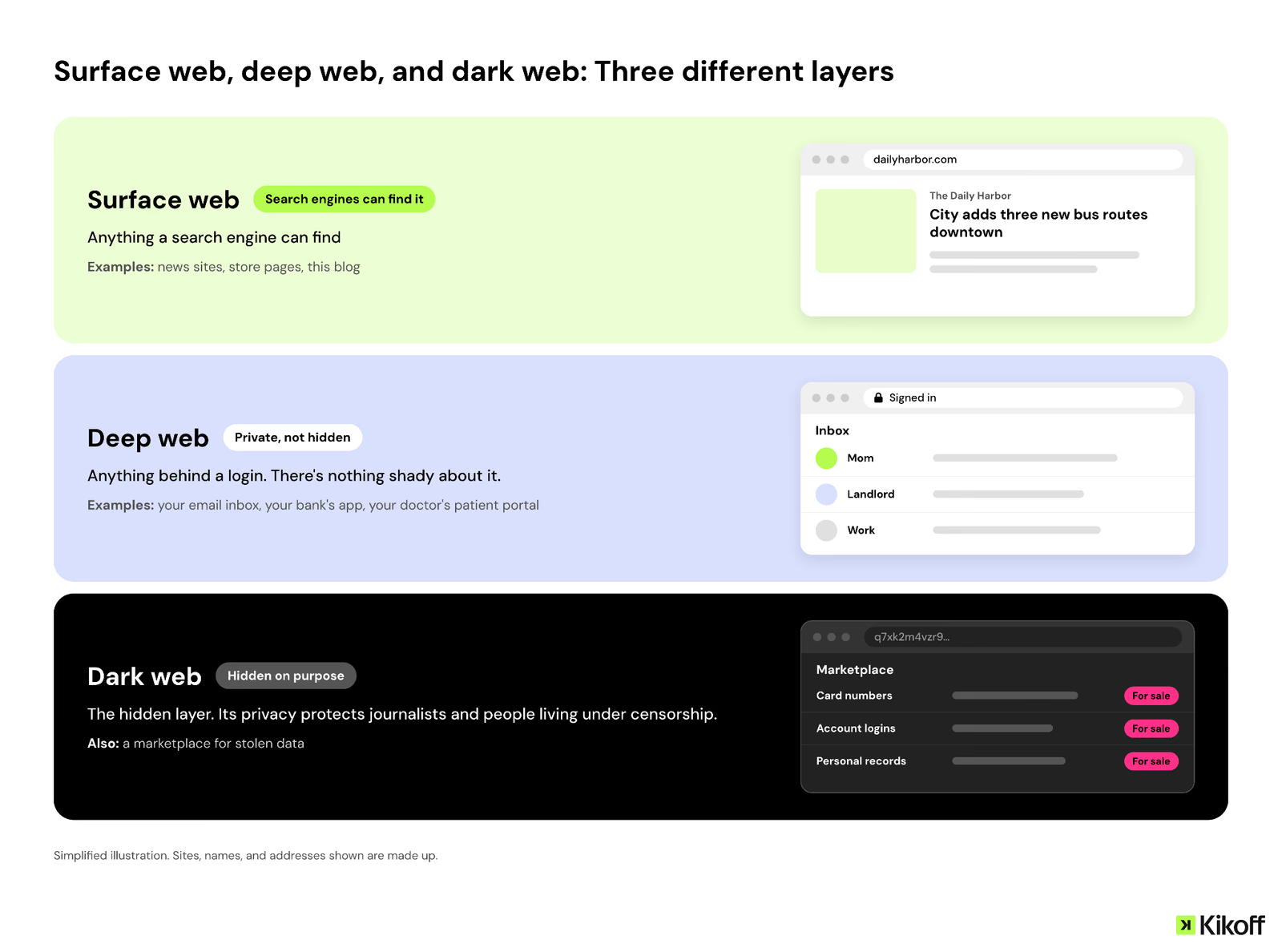
It helps to see where it sits:
- The surface web is anything a search engine can find: news sites, store pages, this blog.
- The deep web is anything behind a login, like your email inbox, your bank’s app, or your doctor’s patient portal. There’s nothing shady about it. It’s private, not hidden.
- The dark web is the hidden layer. Its privacy has legitimate uses, such as protecting journalists and people living under censorship. It also makes the dark web a marketplace for stolen data.
Your information usually lands there in one of three ways: a company that holds your data has a breach, you’re tricked into entering a password or card number on a fake site (phishing), or malware on a device records what you type. Stolen data is often sold in bundles and resold.
How dark web monitoring works
Dark web monitoring works like a search alert for your personal information. Here’s what happens, in order:
- You choose what to watch. You give the service the details you want tracked, such as your email addresses, phone number, Social Security number, card numbers, bank account numbers, or driver’s license number.
- The service scans for matches. It searches dark web marketplaces, forums, and dumps of breached data, and some services also check sites on the regular web that thieves use to trade information.
- You get an alert. When it finds a match, it tells you what was found and, in many cases, which breach it came from.
Here’s how to read an alert when one comes in.
Coverage varies from one service to the next. Many forums are invite-only, and some stolen data trades in private chat apps a scanner can’t reach.
What dark web monitoring can and can’t do
Dark web monitoring is an early warning. It can tell you a password was leaked so you change it before someone logs in, or that your Social Security number is circulating so you freeze your credit before a thief applies for a loan.
It can’t pull your data back off the dark web, and it can’t stop someone from trying to use it. It also misses a lot of what identity thieves do. According to the Federal Trade Commission (FTC), most identity monitoring services won’t alert you if someone uses your information to file a tax return and collect your refund, get Medicare, Medicaid, or welfare benefits, or claim Social Security or unemployment benefits.
That’s why monitoring works best alongside other checks. Each one catches something different.
What to do if your information shows up on the dark web
An alert is a prompt to act, not proof of identity theft. Work through these steps in order. Most take a few minutes.
Make sure the alert is real
Scammers send fake “your data is on the dark web” emails and texts to get you to click a link or call a number. Don’t use the link or phone number in the message. Log in to the service through its app, or go to a website you type in yourself.
Secure what was exposed
Start with whatever the alert names.
Freeze your credit
A credit freeze stops lenders from seeing your credit report, so most can’t approve new credit in your name. According to the FTC, there’s no cost to place or lift a freeze, it doesn’t affect your credit score, and it lasts until you lift it.
You’ll need to contact Equifax, Experian, and TransUnion separately. When you apply for credit later, you can lift the freeze for that application, then put it back.
If you’d rather not freeze, a fraud alert is a lighter option. It asks lenders to confirm it’s really you before they open an account. An initial fraud alert is free and lasts one year. You contact one bureau, and it has to tell the other two.
Check your credit reports
Get your free credit reports from AnnualCreditReport.com. You can check them every week, and checking your own reports doesn’t hurt your credit. Look for accounts you didn’t open, hard inquiries from lenders you didn’t apply with, and addresses where you’ve never lived.
Report misuse at IdentityTheft.gov
If anything on your reports or statements isn’t yours, report it at IdentityTheft.gov or call 877-438-4338. Then call the fraud department at each company where an account was opened or a charge was made.
The FTC’s site gives you a personal recovery plan that walks you through each step, and you can print pre-filled letters to send to credit bureaus, businesses, and debt collectors. Your FTC identity theft report also lets you place an extended fraud alert, which lasts seven years.
What if you find an account you don’t recognize? It’s inaccurate information, so you can dispute it for free with the credit bureau and the company that reported it. Report it at IdentityTheft.gov first so you can include your FTC identity theft report. Kikoff’s AI Credit Disputes, free for all users, can help you dispute inaccurate items in a few taps.
How a data breach could affect your credit
A data breach doesn’t show up on your credit report, and it doesn’t change your credit scores by itself. Your information being exposed isn’t a mark against you.
What can affect your credit is what a thief does next. Someone could open a credit card or loan in your name, run up a balance, and never pay it. Those late payments could then show up on your credit reports, and an unpaid account could go to collections. Each application can also add a hard inquiry.
Because those accounts aren’t yours, they’re errors, and the FCRA (Fair Credit Reporting Act) gives you the right to dispute them for free. A freeze placed soon after a breach helps stop new accounts before they’re opened.
What identity thieves can do with your information
Identity theft is common. In 2024, people filed more than 1.1 million identity theft reports through IdentityTheft.gov, according to FTC data.
Depending on what was exposed, someone could:
- Open credit cards, loans, or phone plans in your name
- Use your card or drain your bank account
- File a tax return in your name to collect a refund
- Get medical care billed to your health insurance
- Claim unemployment or other government benefits
- Take over your email, social media, or shopping accounts
Watch for a bill you don’t recognize, a letter about an account you didn’t open, or bills that suddenly stop arriving. If any of those show up, report it at IdentityTheft.gov.
Do you need to pay for dark web monitoring?
Not necessarily. Paid monitoring adds alerts, but the steps that do the most to protect you are free:
- A credit freeze at all three bureaus
- Weekly credit reports from AnnualCreditReport.com
- A free fraud alert, if you don’t want to freeze
- A different password for each account, kept in a password manager, plus two-factor authentication
You may already have monitoring at no cost. A company that has a breach may offer free monitoring for a set period, so check any breach notice for sign-up steps and confirm the offer on the company’s own website. Your bank, card company, or employer benefits may include monitoring too.
If you’re comparing paid plans, ask what each one watches, whether it helps you recover, and how to cancel. Kikoff Ultimate, for example, includes $1M in identity theft insurance and privacy protection at $35 a month.
Red flags before you pay anyone: a demand for payment to “remove” your data from the dark web, a request for your full Social Security number by email or text, or a promise that your identity can’t be stolen. No one can delete stolen data from the dark web.
Bottom line
Dark web monitoring tells you early that your personal information is exposed. It can’t take that data back or tell you whether someone has used it, so pair any alert with a free credit freeze, regular checks of your credit reports, and IdentityTheft.gov if something has been misused.
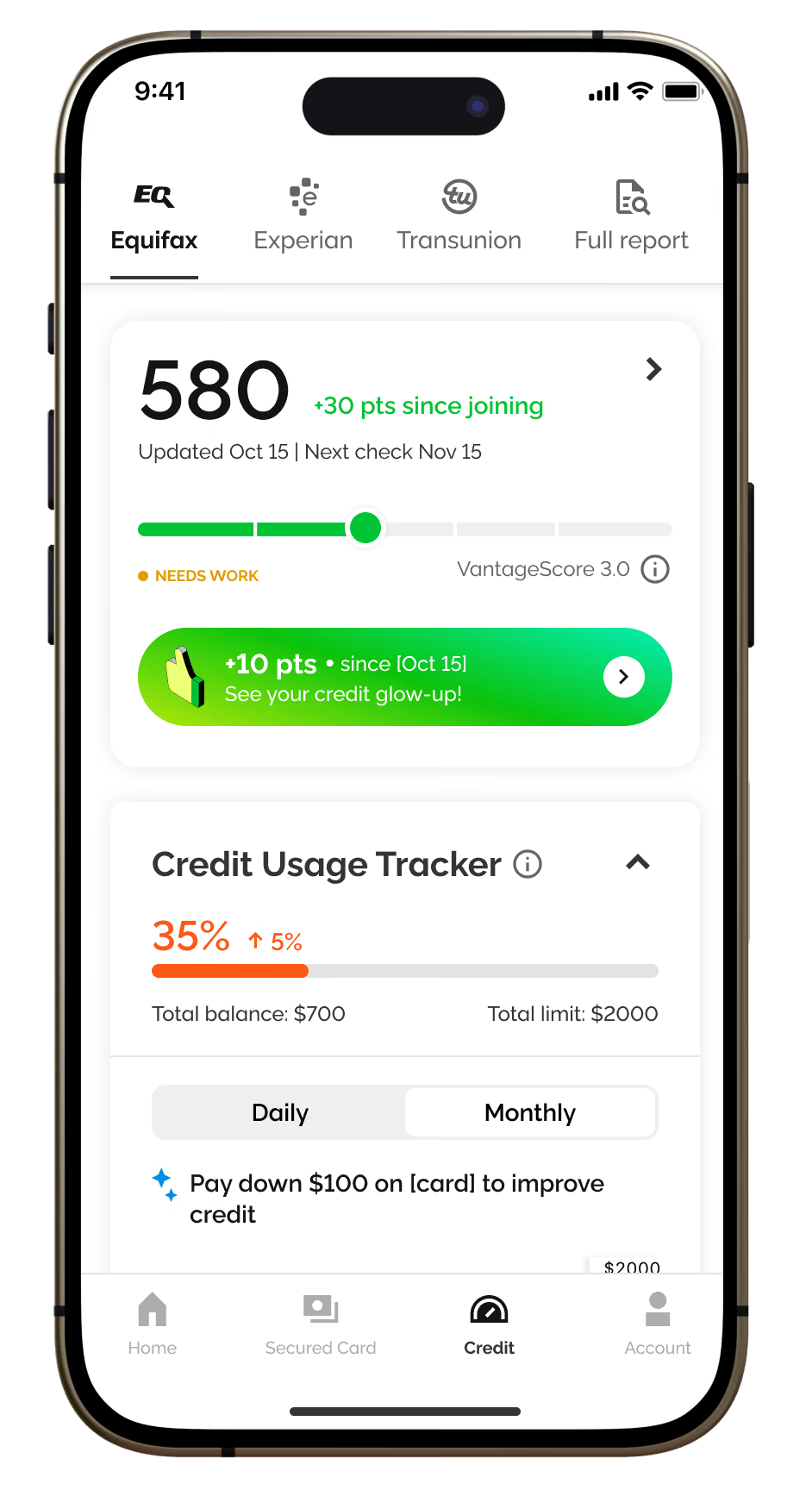
An alert leaves the biggest question open: has someone opened credit in your name? Credit monitoring answers that by watching your credit report itself for new accounts and inquiries. Kikoff Basic includes weekly credit monitoring focused on one bureau, so you can spot changes on that credit report that a dark web alert can’t show you. Plans start at $5 a month.
Frequently Asked Questions
Article Sources
Disclaimer: The information provided in this blog post is meant for informational purposes only and does not constitute financial advice.