

.jpg)



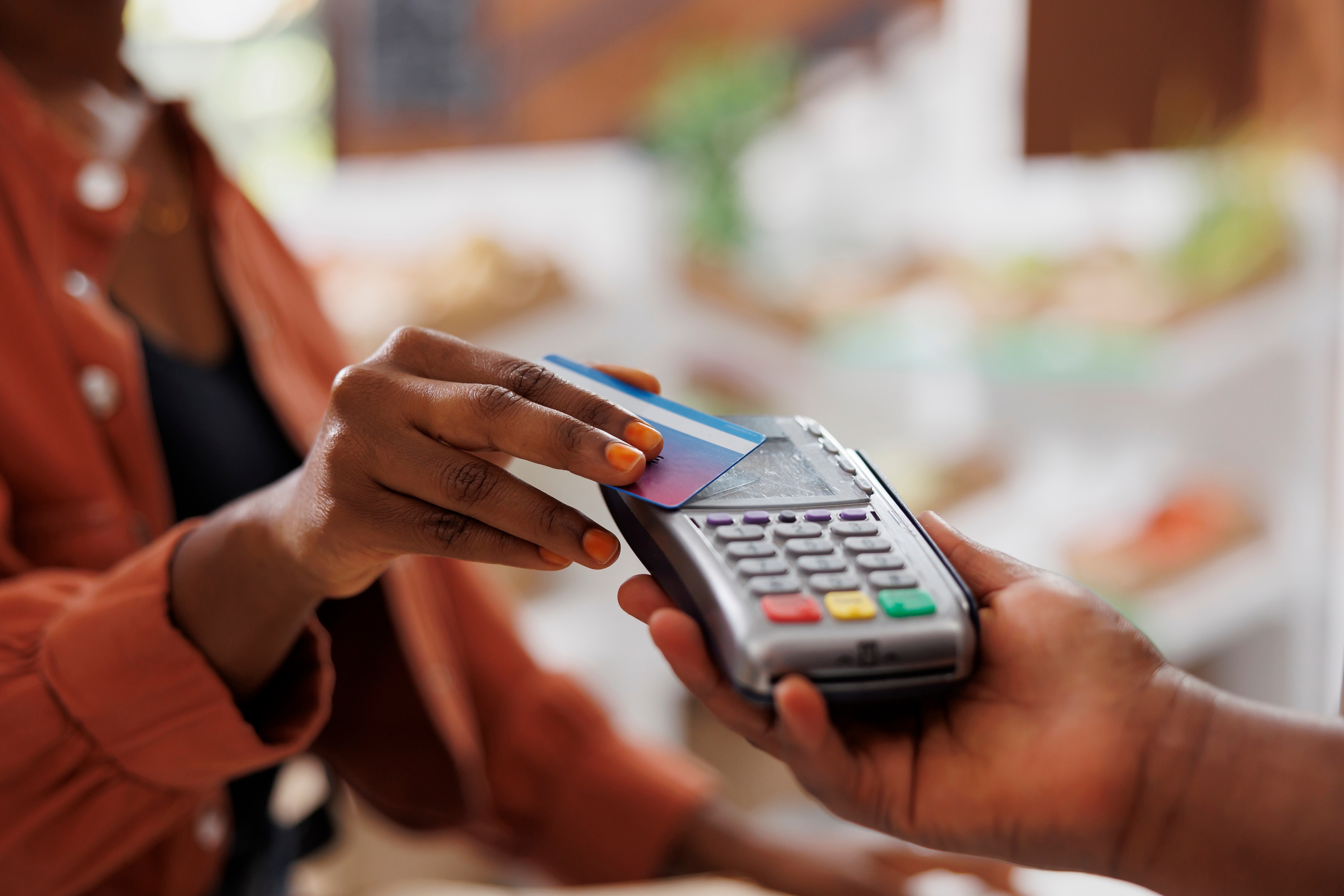
If you've ever paid by tapping your card on the checkout terminal instead of swiping it or inserting the chip, you've used a contactless card. Most people call it tap-to-pay. It works through a short-range radio signal and a one-time code for each purchase, which is why it's about as secure as the chip.
What is a contactless card?
A contactless card is a debit or credit card with a small chip and antenna that lets it communicate wirelessly with a payment terminal. You don’t have to insert or swipe it. Instead, you hold the card near the reader or tap it against the reader, and the transaction is complete in about a second.
If the terminal says to “tap, insert, or swipe,” it accepts all three. If your card offers tap-to-pay, the contactless approach is often the fastest and most convenient.
How does a contactless card work?
The technology behind contactless payments
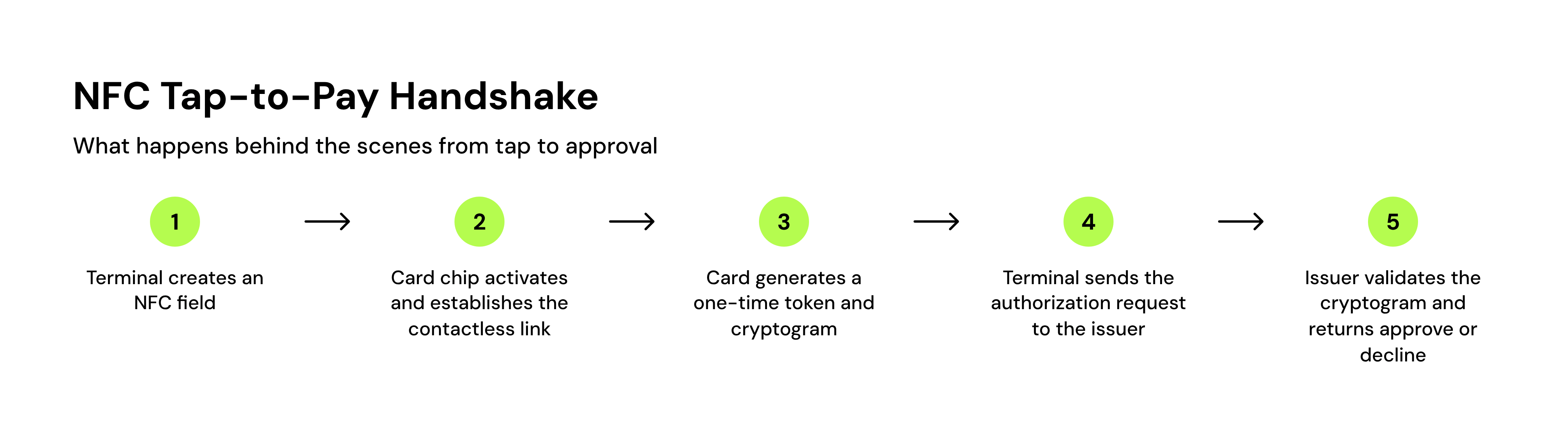
Contactless cards use near-field communication (NFC) technology. Your card has an embedded chip and antenna that store your payment information. When you bring the card close to a compatible terminal, the reader sends out a short-range radio signal that powers up the card’s chip.
What happens during a tap transaction
Once your card and the terminal connect, the chip creates a one-time code for that purchase and sends it with your payment details. Every tap generates a new code, so if somebody intercepted the data, they wouldn’t be able to reuse it for another purchase.
How to tell if your card is contactless
Look for the contactless symbol: four curved lines, like a sideways Wi-Fi icon. It should be printed on the front or back of your card. If you’re not sure, call the number on the back of your card to ask.
Many card issuers now send contactless cards by default. However, if you’ve had your card for several years and your issuer hadn’t made the change at that time, you may need to get an updated card to enable tap-to-pay. If you get a new card or number, update any linked accounts, especially those with autopay enabled.
Where can you use contactless cards?
Most places that take cards in person now take tap, including grocery stores, pharmacies, gas stations, public transit stations, restaurants, and major retailers. Older terminals and some small businesses are the usual exceptions.
Look for the contactless symbol near the card slot or on the screen itself. If it's there, hold your card within an inch or two of the symbol until you hear a beep or see a confirmation. If it isn't, or the tap doesn't register, insert the chip instead. Nothing is wrong with your card.
Most places that take cards in person now take tap: grocery stores, pharmacies, gas stations, transit systems, restaurants, and major retailers. Older terminals and some small businesses are the usual exceptions.
Read more >> How to Protect Yourself From Credit Card Fraud
Are contactless cards safe?
Yes. Contactless cards are about as secure as inserting the chip, and a few features help:
- Each tap uses a one-time code, so intercepted data can’t be reused.
- The card only works within a couple of inches of a reader.
- Some issuers cap contactless purchases and ask for a PIN above that amount.
Below any cap, whoever has your card can tap it, so report a lost or stolen card to your issuer right away. Under federal law, your liability for unauthorized credit card charges is capped at $50, and it’s $0 if you report the card before it’s used. For debit cards, your liability grows the longer you wait to report it.
Read more >> How to Handle and Prevent Fraudulent Charges on Your Account
Contactless cards vs. mobile wallets
Contactless cards and mobile wallets like Apple Pay or Google Pay use the same underlying NFC technology, but the wallet adds an extra layer of security.
A mobile wallet stores a stand-in number on your phone or watch instead of your real card number. Most wallets ask you to unlock your phone with a passcode, face scan, or fingerprint before you can tap to pay.
Bottom line
A contactless card pays with a short-range tap, and each tap carries a one-time code, so it's about as secure as inserting the chip.
Tap-to-pay works the same on a basic debit card as on a premium credit card, so it isn't what separates one card offer from another. The rate and limit you're offered do, and your credit sets those before you apply. Kikoff's Credit Account reports your on-time payments to Equifax, Experian, and TransUnion, with no credit check to sign up. Plans start at $5 a month.
Frequently Asked Questions
Article Sources
Disclaimer: The information provided in this blog post is meant for informational purposes only and does not constitute financial advice.